Tiling window manager
for macOS.
Built on AeroSpace. Dynamic dwindle layouts, Sketchybar, and JankyBorders — configured and ready to go.
Features
A kickstart for your macOS
keyboard-driven tiling setup.
I wrote the boilerplate so you don't have to. You get a cohesive tiling environment, a hyprland inspired menu bar, and i3 / Omarcy inspired keybindings out of the box. It's built to make you ridiculously fast and it's fun to use. Use the opinionated defaults to get working immediately, or treat it as a foundation to hack, tweak, and make entirely your own.
Dynamic Dwindle
Windows split automatically based on aspect ratio, keeping your screen balanced so you can focus on being productive, not managing windows.
Sketchybar Integration
Pre-configured Hyprland-inspired menu bar showing focused workspace, system stats, and live layout indicators.
JankyBorders
Clean, glowing window borders that make the focused window unmistakable. Bundled and themed to match.
Setup Wizard
An interactive first-run setup walks you through selecting your preferred apps and toggling options to get Hyprspace configured just the way you like it. A solid starting point you can tweak from there.
SIP Compatible
Full tiling experience without disabling System Integrity Protection. Your Mac stays secure, no compromises.
Focus-Driven Spawning
New apps open exactly where your cursor is. No more hunting across virtual desktops to find the terminal you just launched.
In practice
Dynamic dwindle.
Tiled terminals, editors, browsers — all managed automatically with the dwindle layout.
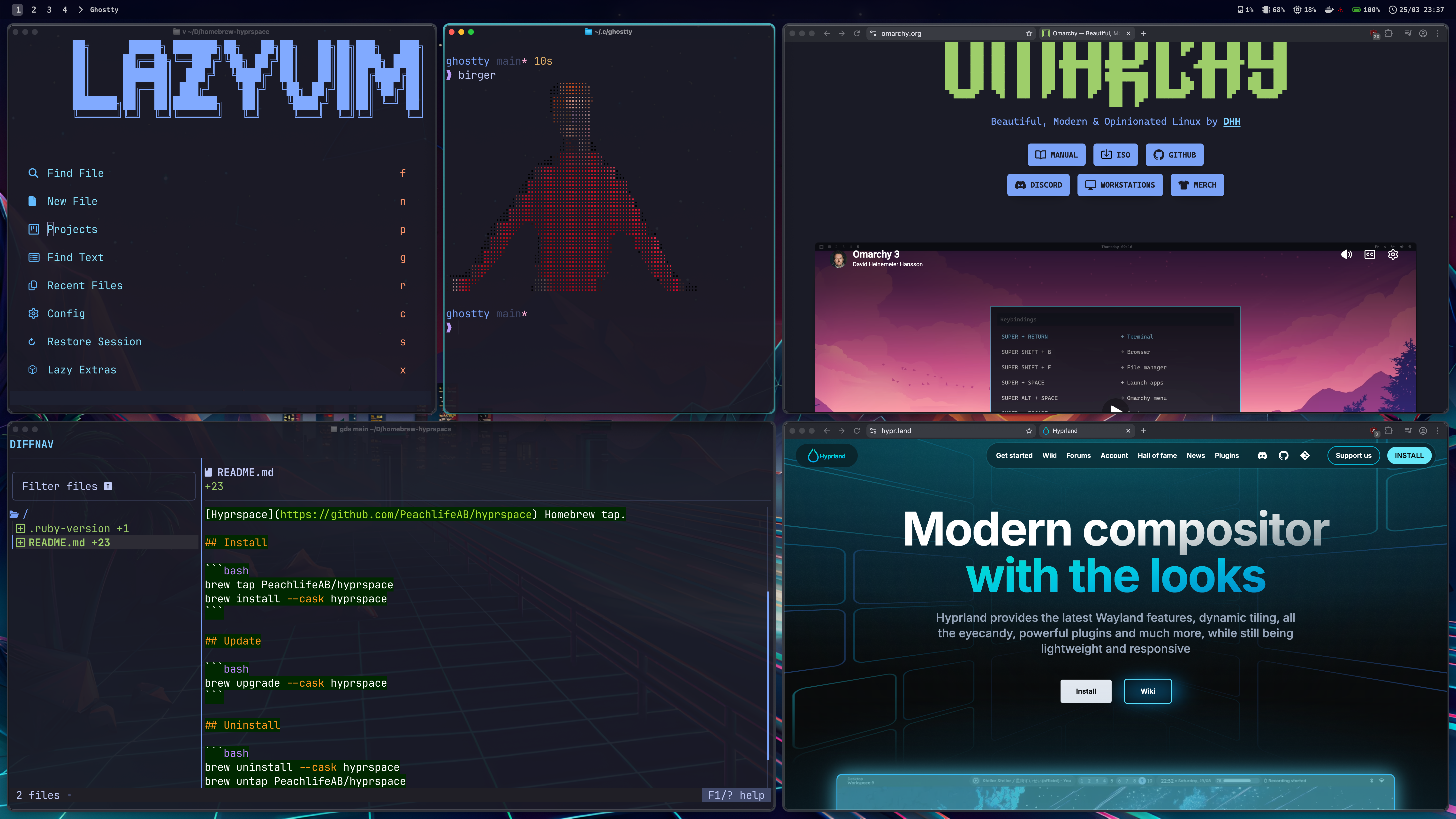
How the layout automatically splits and balances your windows as you open them.
Documentation
Hackable by design.
Configuring your environment is half the fun. Hyprspace isn't a locked-down product — it's a launchpad. Everything is exposed in plain TOML so you can drop in and change whatever you want.
Configuration
Hyprspace config file and reference file:
-
~/.config/hyprspace/config.toml— active config that Hyprspace loads -
~/.config/hyprspace/config.default.toml— reference file to copy settings from
Quick edit
open -a TextEdit ~/.config/hyprspace/config.toml
Product Behavior
Focus-driven window spawning
The new-window-or-open command respects your current
workspace and focus context — repeated app spawning never jumps to
an older workspace.
Floating placement presets
Named placement presets like center,
topRightCorner, and panel-style positions let you place
utility windows predictably via the position command.
Upstream Compatibility
Built on AeroSpace, so upstream command and config documentation remains useful unless a Hyprspace patch explicitly changes the behavior.
Uninstall
To cleanly remove Hyprspace and its managed config:
hyprspace deinit
brew uninstall --cask hyprspace
Get Started
Try it out on your Mac.
Requires macOS and Homebrew. Copy and paste these commands into your terminal.
$brew tap PeachlifeAB/tap
$brew install --cask hyprspace
$hyprspace init